How to highlight one line or bar in a chart
Updated 8 Nov 20262 min read
Draw the country your chart is about in one strong colour and every other country in grey. In GeoLens the first country you pick wears the highlight; click another line and press Focus to move it.
One colour for the story, grey for the context
In this chart of access to electricity, Kenya is gold and seven neighbours are grey. The reader finds Kenya first and still sees what it is compared with, and knows what the chart is about before reading a word.
The same rule holds for bars, rows and arrows: one in colour, the rest in grey, whatever the chart type.
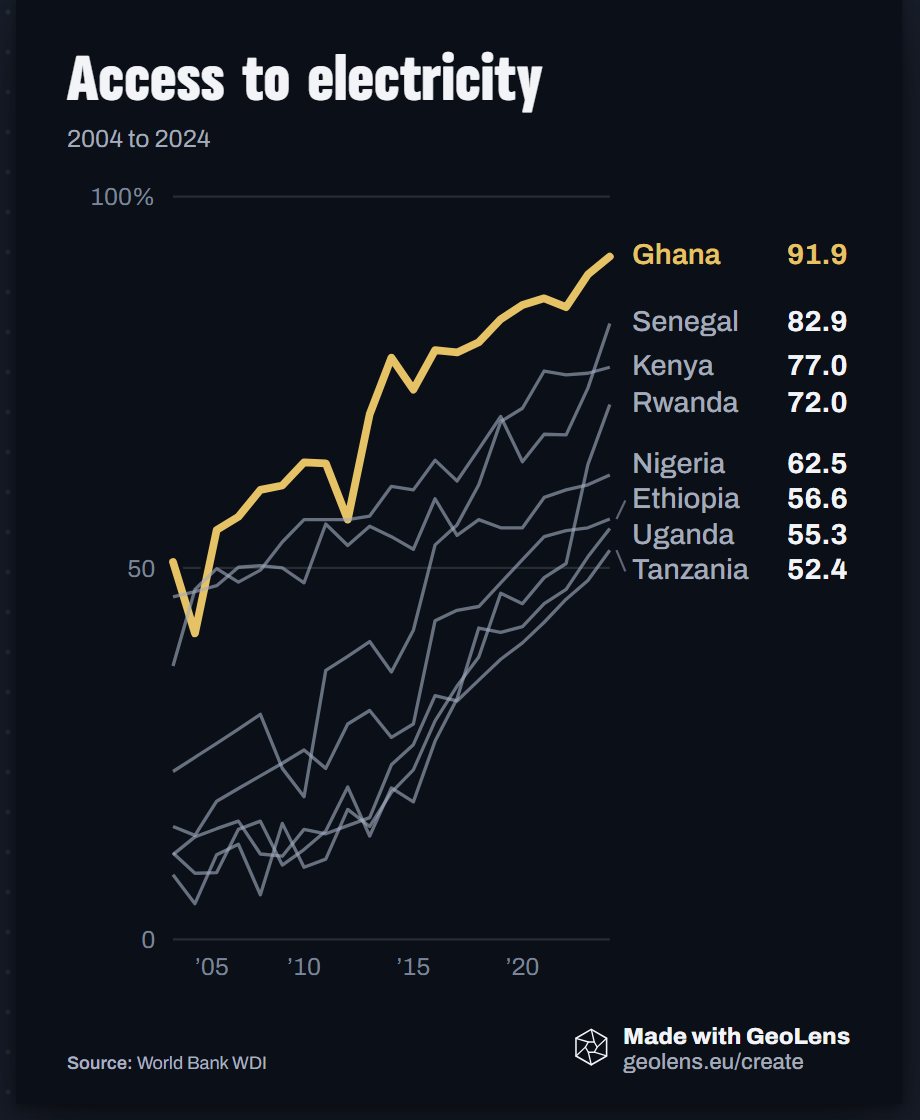
Line chart of access to electricity in eight African countries, 2004 to 2024, with Kenya highlighted.
How to highlight one country, step by step
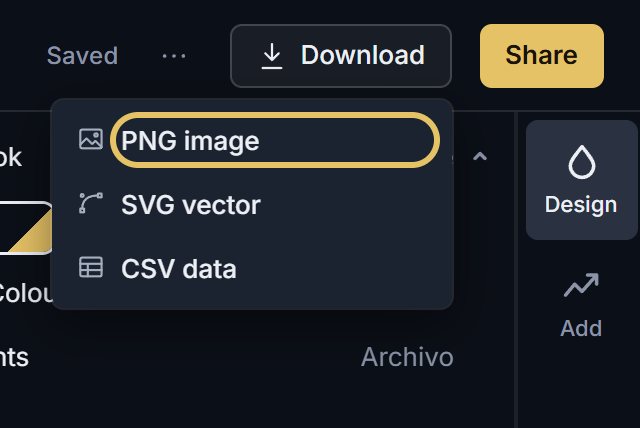
Five steps on the same chart, moving the highlight from Kenya to Ghana. Each picture shows the control to use, ringed in gold.
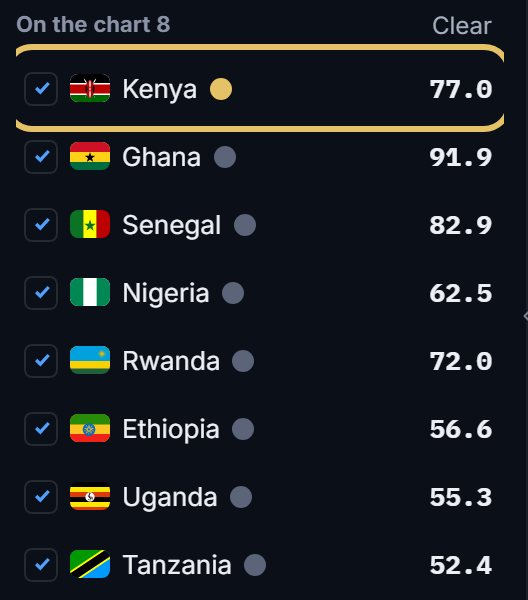
Tick your countries. The first one you tick wears the highlight, marked by the gold dot in the list.
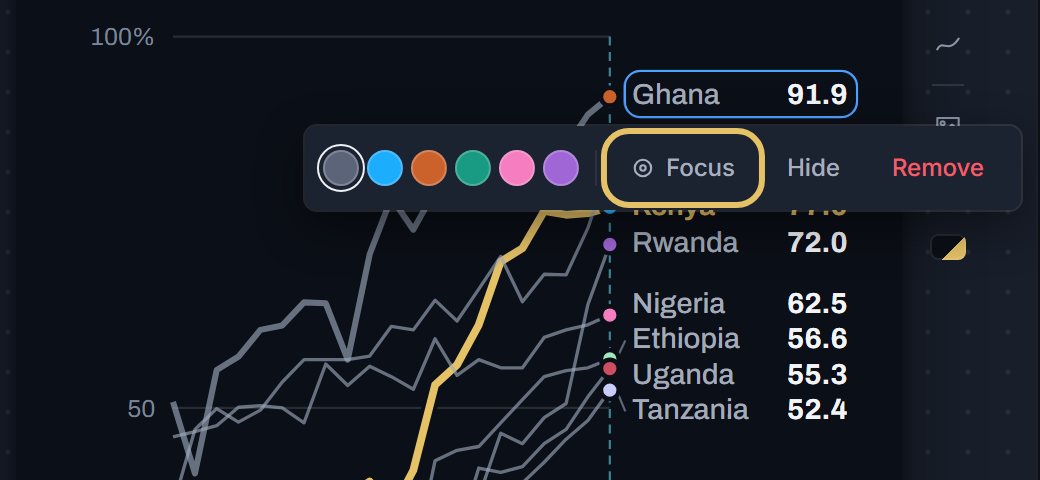
Click another country's line or its label on the chart and press Focus in the bar that opens.
That country takes the gold and the others go grey, and its end label turns gold too.
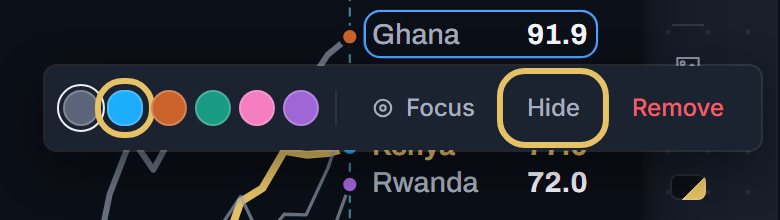
The same bar gives a country its own colour, or Hide takes it off the chart.
Open Download and choose PNG image.
TipHighlight the country the title names, so the words and the colour agree.
How many countries to highlight
One is the default and fits most charts, from a single line to a ranking of thirty rows. Two works for a duel between two countries.
With three or more, the reader is back to matching colours to names, and the story gets lost.
In a duel, give the second country its own clear colour and keep the rest grey, so the pair reads at a glance.
Colour rules for a highlight
Keep the context grey, not a second bright colour that competes for the eye.
Label the highlighted line at its end instead of using a legend, as GeoLens does, so nobody has to look away.
If a group matters, such as EU members against the rest, colour the group, not one country, and say so in the line under the title.
On a ranking, the highlight helps most on a row in the middle of the field, where the eye would not find it alone.